Listen
A full cast reads your script aloud, free with the voices on your Mac.

Write, hear and plan your screenplay together, on the Mac and the web.
Tab changes the element, and the page keeps itself right.
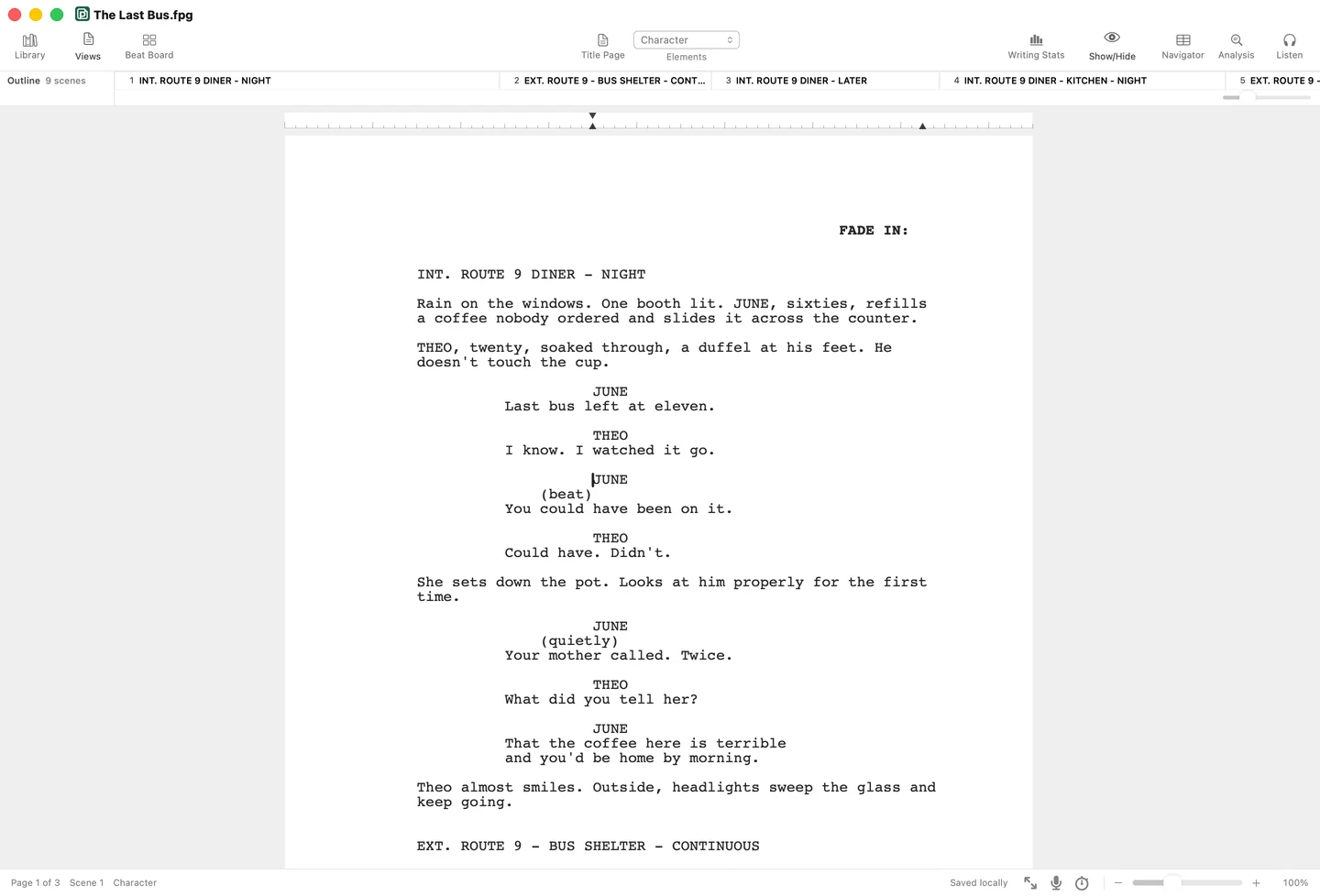
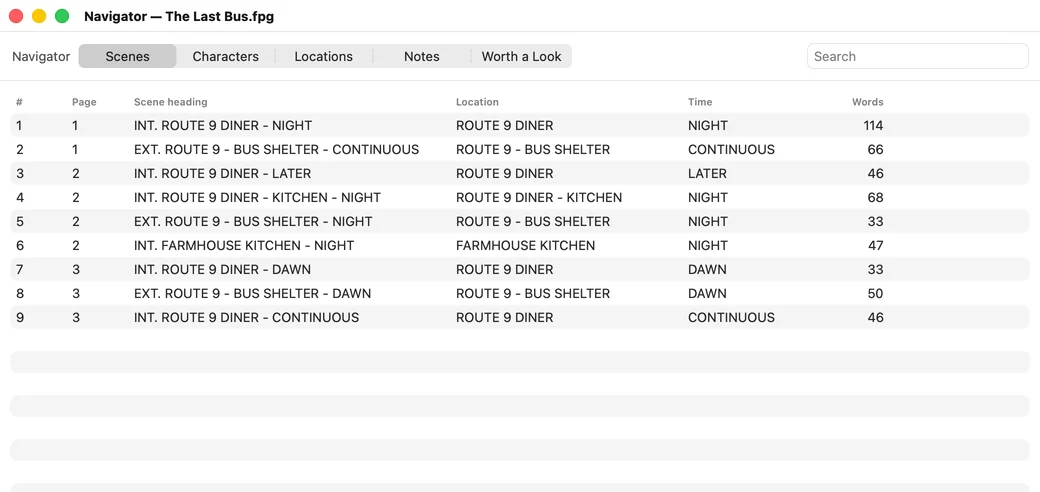
The Navigator and the Beat Board take you straight back to the scene.
Every line, card and cursor, encrypted on your devices.
Kept on your Mac within seconds, so a crash costs moments.
Copied to your Mac within seconds.
The next launch offers it back.
One every ten minutes of writing.
A full cast reads your script aloud, free with the voices on your Mac.
A second read of the whole draft, every note pinned to its scene.
Credits, authors, source and contact details on the front page.
Pages, scenes, characters and progress, counted as you write.
Every draft and folder in one place, searchable and sortable.
Catches typos without fighting your character names or slang.
Saves to First Page Cloud as you type, encrypted, with Suite or Lifetime.
One setting turns off Listen and Analysis for your whole account.
Trade drafts with Final Draft users and the workflows that expect it.
Plain text that stays readable in any editor, and in version control.
The whole project, including beats, notes and the title page.
Open a script someone sent you; exports exactly as laid out.
Scripts written in Word come in as screenplay elements, not plain text.
Every claim about another app is from its own pages.
Checked October 2026
| As of October 2026 | First Page | Final DraftCast & Crew | Fade InGCC Productions | Highland ProQuote-Unquote Apps | Arc Studio | Celtx | WriterDuet | Studiovity |
|---|---|---|---|---|---|---|---|---|
| How you pay | Buy once, or subscribeFirst Page One, or Lifetime at $199, once. Or Suite | Buy once, or subscribePerpetual license, or the Suite subscription | Buy onceOptional Fade In Access subscription for the cloud | Subscription only | Subscription onlyBilled yearly | SubscriptionA free plan for one project | SubscriptionWriterSolo is a free local version | SubscriptionMonthly, six months or a year |
| Entry price | $79 onceOr Suite at $9.99 a month or $89 a year. Reading is free | $199.99 onceOr $99.99 a year for Suite, desktop plus Final Draft Cloud | $79.95 once$89.99 on the Mac App Store | $59.99 a yearOr $9.99 a month, free for students | $69 a yearPro is $99 a year. The free tier is two watermarked scripts in the browser | $11.24 a monthWriter, billed yearly. Free for one project | $9.99 a month$7.49 a month billed yearly. Free for three projects | $3 a monthScreenwriting plan. $18 for a year with its current offer |
| Paid upgrades | Only for a new major versionEvery 1.x update is free. Lifetime includes future majors | Yes, $99.99A paid major version every two and a half to three years | No, all free so farVersions 4 and 5 were free upgrades | Included in the subscription | Included in the subscription | Included in the subscription | Included in the subscription | Included in the subscription |
| License expiry and activations | First Page One has no expiry dateUp to five Macs on one account | Two computers per licenseFinal Draft 10 activation ended on June 30, 2025 | Unlimited personal computersPerpetual license | SubscriptionReplaced the one-time Highland 2 in March 2025 | SubscriptionAn account is required | SubscriptionAn account is required | Subscription | SubscriptionTwo team members on each plan |
| Offline writing and accounts | Offline once activatedWriting needs an account. Reading needs none | After a first sign-inInternet is needed for the first sign-in | YesNo account needed | Not confirmed | NoAn account is required | NoOffline Mode was retired in September 2023 | On paid plansPlus adds offline writing. WriterSolo is free and local | Not confirmed |
| PDF import | Yes, on your MacScanned pages too, read without uploading | YesSince Final Draft 12 | Yes | YesMelts a PDF back into a script | Yes | Text PDFsScanned pages need OCR first | Yes | YesPDF export too |
| FDX import and export | Yes, both waysFountain too, and Word import | YesFDX is Final Draft's own format | YesAlong with Fountain, Word, RTF and Celtx | Not confirmed | Not confirmed | ImportWe found no FDX export | Yes, both waysFountain, Celtx and Word too | Yes, both waysFountain and PDF import too |
| Read-aloud | Your Mac's voices, freeA voice per character, plus a narrator. Studio voices with Suite or credits | Your computer's voicesSpeech Control, a voice per character | Your computer's voicesTable Read | None | Cloud voices on creditsTable Read with ElevenLabs or Murf, paid for separately | Read ThroughAutomated voices, or collaborators reading roles | Computer voicesA distinct voice per character, on Premium | Not confirmed |
| Where scripts are kept | On your MacOptional encrypted AutoSave to the cloud with Suite and Lifetime | On your computer, or Final Draft CloudCloud files are deleted 30 days after a Cloud subscription lapses | On your computerOptional cloud with Fade In Access | Your devices and iCloud“Your work never touches our servers” | Not confirmed | Celtx's cloudEncrypted in transit. No statement on encryption at rest | WriterDuet's cloudSaved as you type, with backups to Dropbox, Google Drive or iCloud | Studiovity's cloudSynced across mobile and web, on Amazon Web Services |
| Training on your scripts | NeverIn writing, in our privacy policy | Not used for trainingIts statement was written before Final Draft Cloud existed | No statement found | Files never reach its servers“We can’t see, edit, or retrieve your files” | No statement foundNone in its privacy notice of July 18, 2026 | No statement foundIts terms limit your content to running the service | Does not trainText goes to language model providers only if you use those paid tools | Not used to train its public modelsIn its FAQ. Its privacy policy says nothing on training |
| Platforms | Mac, plus a web appNative on macOS 14 or later. The web app is free for up to 3 scripts | Mac and WindowsNative on both, plus Final Draft Go on iOS and Cloud on the web | Mac, Windows and LinuxAccess adds web, iOS and Android | Mac, iPad and iPhoneNative on all three, with iCloud sync | Mac, Windows, iOS and web | In the browser | Web, Mac, Windows, Linux, iOS and Android | Web, iOS and AndroidIts iPad app also runs on Apple silicon Macs |
Fade In costs less, runs on Mac, Windows and Linux, and every upgrade since it launched has been free.
Final Draft is the exchange standard in studios and TV rooms, with production features such as locked pages and omits.
Highland Pro is native on the iPad and iPhone as well as the Mac. First Page has no iPad or iPhone app.

Download free and read any script today.
macOS 14 or newer, on Apple silicon and Intel.