
Just write.
Screenwriting software for Mac that formats as you type, keeps every draft safe and private, and gets out of the way.
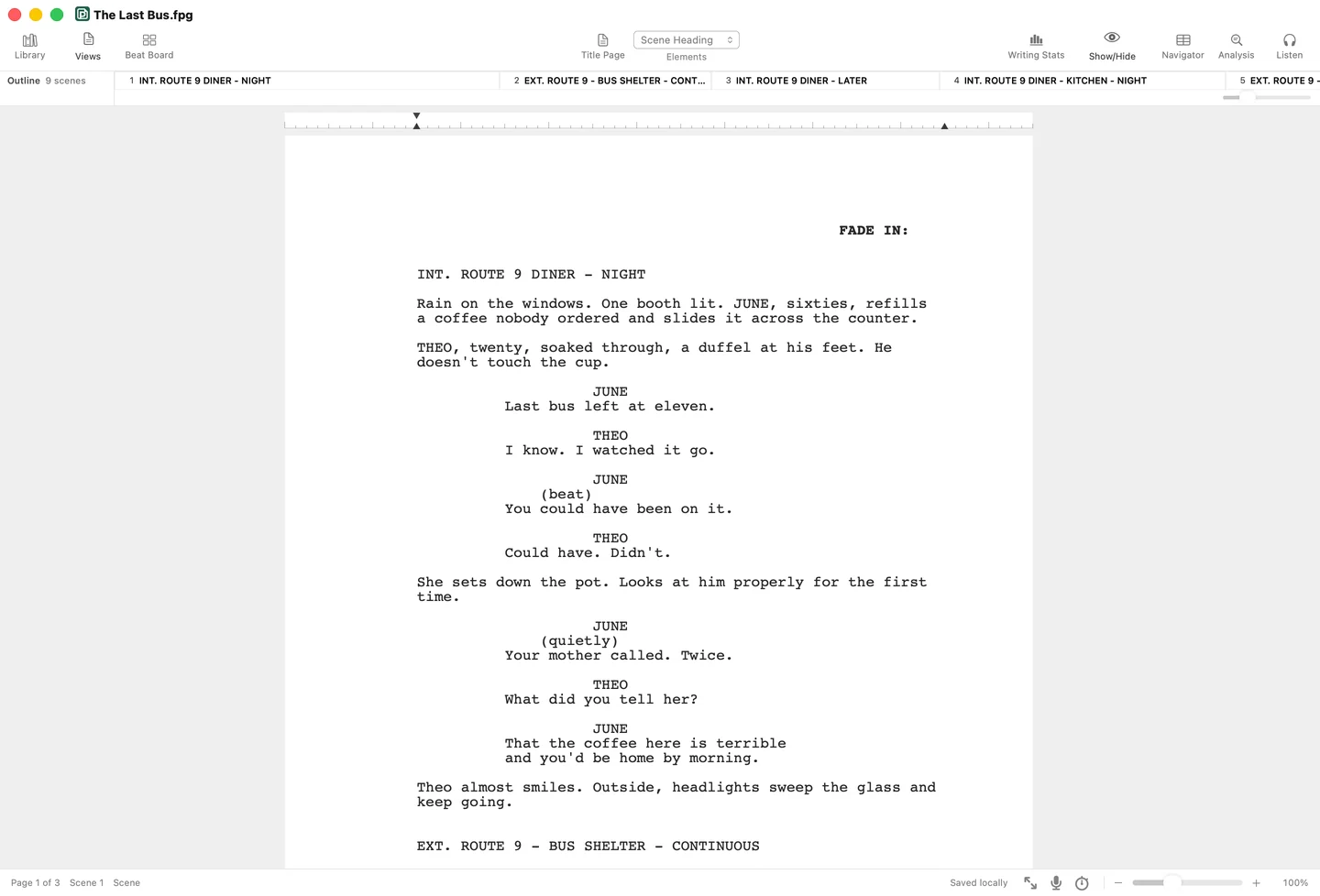
Opens the scripts you already have.
- Final Draft.fdx
- Fountain.fountain
- PDF.pdf
- Word.docx
Everything a screenplay needs.
Formats as you type.
Scene headings, characters and dialogue fall into place.
Hear it read aloud.
Every character gets a voice. Press play to hear it.
Notes on the draft.
Structure, character and pacing, scene by scene.
Plan it on the Beat Board.
Drag beats into shape, on your own or with co-writers.
Write it together.
Co-write in real time, on the Mac and the web.
- PrivacyEncrypted end to end
- MergingBoth versions kept
- Author colorsWho wrote what
A page of The Last Bus in screenplay format, with two writers in it at once. Ana selects a word in June’s line and rewrites it. At the same time Sam adds Theo’s reply below. Each has a named, colored cursor, and their words appear for both as they type. Then Ana pins a note on a word in Theo’s line. Sam’s cursor goes there and the note opens. He reads it, rewrites the line to show what Theo saw, and marks the note resolved.
- SharingInvite anyone,free to read
- PresenceLive cursors
- NotesNotes that resolve
Only you can read it.
Your script is scrambled on your device before it’s saved.
Only you hold the key, and the people you share a script with.
A page of The Last Bus in screenplay format. A line moves down the page, and every letter it passes turns into scrambled characters where it stood, so the page keeps its shape but can’t be read. That scrambled page is what First Page stores. Then the writer’s key moves back up the page and the words return. Visitors can drag the key themselves.
Kept safe. Kept yours.
Private
by design.Scripts in the cloud are encrypted on your device before they reach us.
How your writing stays yoursNever lose
a page.What you type is kept safe as you write, and earlier versions are a menu away.
How saving worksHear it read,
free.Listen reads your script aloud with the voices on your Mac, as often as you like.
More about Listen
And so much more.
- Works offline
- AutoSave
- Final Draft import
- PDF export
- Fountain
- PDF and Word import
- Title pages
- Writing stats
- Daily goals
- Writing sprints
- Navigator
- Script notes
- Dark mode
- Spell check
- Earlier versions
- Crash recovery
- Mac and web
What writers tell us.
“Coming from my old screenwriting software, First Page just works. It’s fast, familiar, and I never have to worry about forgetting to save. Truly everything you need, and nothing you don’t.”
Maya R.Austin, Texas “I was up and writing in a few minutes. I imported my old script, made changes, and exported a clean PDF without having to dig through a bunch of menus.”
Jordan K.Brooklyn, New York “My Wi-Fi cut out halfway through a scene and I honestly didn’t notice until later. Nothing disappeared, and everything synced when I was back online.”
Elena S.Portland, Oregon “The beat board is probably my favorite part. I can step back, see where the story is dragging, then jump right back into the scene.”
Marcus T.Atlanta, Georgia
Simple pricing.
Reading is always free.
First Page One
$79$79 paid onceYours to keep.
Buy First Page One- The Mac editor, yours to keep
- Every First Page 1 update
- Edits offline, any day
- Print and export
Suite
$89$89 a year$7.42 a month, billed yearly.
Start Suite- Unlimited scripts, every device
- Encrypted AutoSave to the cloud
- Monthly voices and Analysis
- Share and write together
Lifetime
Limited time$199$199 paid onceSuite for good.
Buy Lifetime- Unlimited cloud scripts, for good
- Every future major version
- Voices and Analysis by credits
- Share and write together
Common questions.
Something else? Write to support@firstpageapp.com.
Yes. First Page understands scene headings, action, characters, parentheticals, dialogue, transitions, and the page spacing that connects them—so the screenplay stays properly formatted as you write.
Yes. First Page opens Final Draft (.fdx), Fountain and its own .fpg files, and turns PDF and Word scripts back into screenplay elements. Reader opens them free, with no account; changing the screenplay on the Mac needs First Page One, Suite, or Lifetime.
With First Page One or Lifetime, an activated Mac keeps editing on any day and after any time offline. An expired sign-in only asks you to sign in again. Suite on the Mac checks in about once a week, with three days of grace while you are offline. With AutoSave on, and on the web, changes wait on your device and save to First Page Cloud when the connection returns.
If First Page or your Mac stops unexpectedly, the next launch offers your unsaved changes back. File then Browse Earlier Versions shows earlier drafts of a script, and you can restore one or open it as a copy. If auto-save is off, your file changes only when you save.
How saving worksReader is free and needs no account. It opens, reads and navigates any compatible script, reads it aloud with the voices on your Mac, edits and saves the title page, and prints or exports PDF, Final Draft, or Fountain. It can't change the screenplay itself or use cloud storage.
No. If Suite lapses, saving to First Page Cloud pauses and nothing is deleted. Your cloud scripts stay readable, and new changes wait on your Mac until you renew. A lapse never removes a separately purchased First Page One license, and without editing access, compatible local files remain readable in Reader.
Everything you save to First Page's cloud is encrypted on your device before it reaches us, along with its title and your folder names, and only you hold the key, with anyone you share a script with. We can't read it, we never sell your scripts, and we never train anything on them. Scripts saved before encryption stay readable until you encrypt them from your library or save them again. Scripts with AutoSave off stay on your Mac. On the web, your passkey signs you in and opens your scripts in one step.
Your writing stays yoursYes, with Suite or Lifetime. Turn on AutoSave and a script lives in First Page Cloud, encrypted so only you can read it, and saves itself as you type. Open it on any of your Macs or on the web. On the Mac, changes from your other devices show up within about 12 seconds. If two places change the same script, the edits are merged; where they overlap, yours stays and the other version is kept as a conflicted copy. Every cloud script also keeps an encrypted copy on your Mac. Folders aren't on the Mac yet. Without Suite or Lifetime, you can still write up to 3 scripts on the web, free.
Listen performs your script with a voice for every character and a narrator for the action. On the Mac it's free and unlimited with the voices on your Mac, it needs no account, and nothing leaves your Mac. Studio voices sound more like a real table read: Suite includes about 30 pages a month, and any plan can add more with credits that never expire. Studio voices send each scene to our voice provider as it plays, we keep none of the audio, and anything you've heard recently replays free on the same device. One switch in Settings removes Listen and Analysis entirely.
Analysis reads the whole draft and leaves notes on structure, characters, pacing, and formatting, each pinned to the scene it is about. The formatting check is free for everyone. Suite includes two full reads a month, and any plan can add more with credits. We keep no copy of your script, your device encrypts the notes with your key, and your script is never used for training.
Your writing stays yoursNo. First Page One includes every First Page 1 update, and the license has no expiry date. Major versions come rarely, at least three years apart, and upgrading to one is always optional. Suite and Lifetime include every major version.

Start your first page.
Download free and read any script today.
macOS 14 or newer, on Apple silicon and Intel.